IPTV on a MAG box: portal setup
MAG boxes were made for one job: live TV through a portal. There is no app store, no player to pick and nothing to buy for the software. You give us the box's identity, we give you an address, and the portal does the rest every time you switch on.
Short answer
A MAG box signs in with its MAC address, not a username. Read the MAC under System Settings or on the label underneath, WhatsApp it to us, then enter the portal address we reply with under Servers, Portals. Save, reboot, done, in about 5 minutes.
- Device
- MAG set-top boxes
- Time needed
- About 5 minutes
- Difficulty
- Easy
- Method
- The built-in portal
- What you need
- WhatsApp on a phone, plus the MAC address of the box
Your app, step by step
We suggest The built-in portal. Switch tabs to see the other apps, one full walkthrough per tab.
Free app We activate it. Ships inside the firmware. Zero app cost.
-
Cable up the box and power it on
No username or password here: this box identifies itself by MAC address, then follows a portal URL. Connect it to the TV and to the router, then turn it on.

-
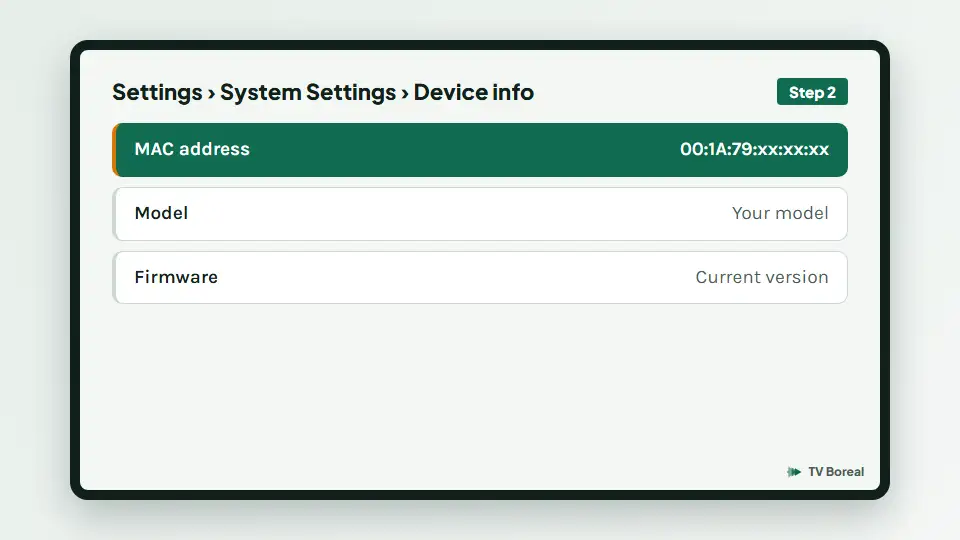
Read the MAC address
Go into Settings, then System Settings, where the MAC address is listed. You will also find it on the sticker below the box, written as 00:1A:79:xx:xx:xx.
-
WhatsApp the MAC to us
Text the address to us on WhatsApp. A photo of the sticker works just as well. Check each character before you hit send.
Send it on WhatsApp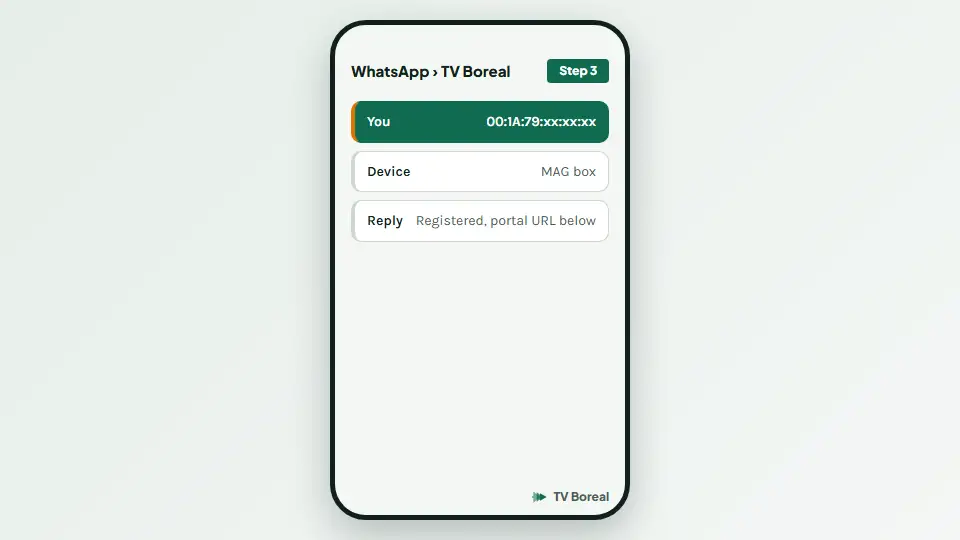
-
Wait for the portal URL
Once the box is registered with us, our reply carries your portal URL, in the style of http://portal.example.com/c.

-
Type the portal into the box
Open System Settings, Servers, Portals. Give the portal a name of your choice, then key in the URL character for character as we wrote it.

-
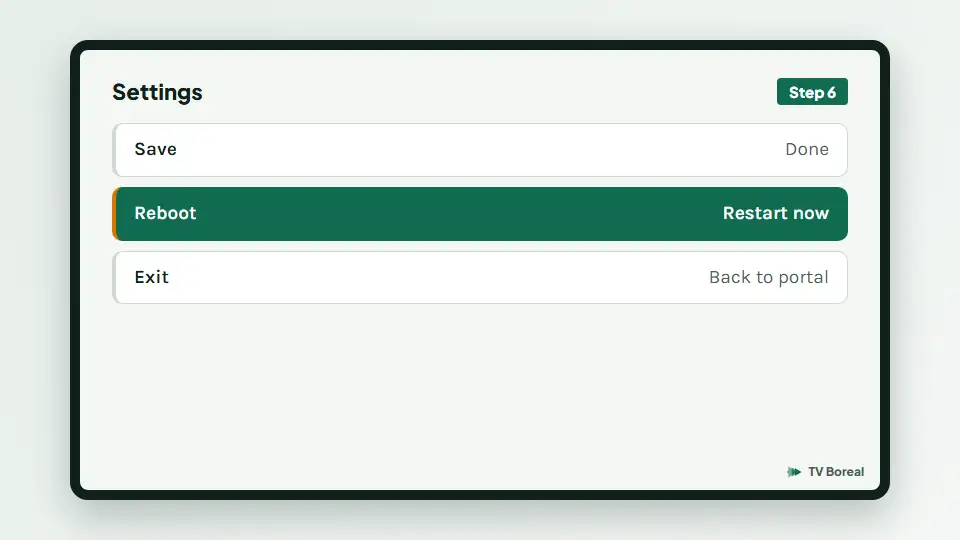
Save, then reboot
Press OK to store it, step back and select Reboot. On the next start the portal opens with your channels and TV guide.

Before you start
Line up four things, and the setup takes one short sitting.
- The box joined to TV and router and powered up. Ethernet beats Wi-Fi for it.
- A steady line, with 25 Mbps or better for 4K. Our post on IPTV on Wi-Fi or Ethernet explains why cable wins on a box like this.
- An active plan, since your portal URL comes on WhatsApp. No plan yet? Every option on our plans and prices page works on MAG boxes, starting at $79.99 CAD for a year on one device.
- Around 10 minutes in total, with the remote close by.
It is a one-time job. Afterwards, switching on the box is all it takes.
How a MAG box signs in
A MAG box never asks for a username and password the way a player app does. Instead it carries a fixed identity, a MAC address, and our server knows the box by it. Think of the portal URL as directions: it shows the box where its channels live. That is why the very first thing we need is the address.
On these boxes the MAC has six pairs of characters and begins with 00:1A:79. The sticker underneath shows it, and so does System Settings, so you can check it without leaving the couch. Once we register it, each start opens live channels, the guide and on-demand menus. Nothing else gets installed. If those terms are new to you, IPTV login details compares the MAC method with a normal login.
Tip: Before the box goes behind the TV, snap a photo of its sticker. That picture keeps every character of the MAC exact, so nothing gets mistyped on the way to us.
Is there more than one method?
No. The built-in portal is the only route on a MAG, and that is not a drawback: it lives in the firmware, needs no install and has no app fee. The box cannot take a different player. If you want apps to choose from, the Formuler setup guide covers a box that runs a portal and full players, and the Android TV guide covers boxes with Google Play.
Fixing MAG box problems
Most MAG errors point at the MAC link, the portal address or the network. Look for your message below.
"STB is blocked"
Your plan and this box are not linked yet. Hold the MAC you sent with the sticker, one character at a time. Once our confirmation lands on WhatsApp, restart the box using its menu or power button, and the message goes away.
"Portal not found"
Usually a typo in the address. Go back to Servers, Portals and hold it up against our message: http:// at the start, /c at the end, no trailing space. Save and reboot. Still failing? The settings menu has a network test: run it, since the box may simply be offline.
The wrong MAC went to us
Easy to do, often by reading another device's sticker. Send the right one from the box itself or from System Settings. We shift the link on our end and you reboot. Nothing on the box needs changing.
Channels play but the guide is blank
A fresh activation takes a few minutes to fill the guide. Leave the box on and reboot it once. An hour later and still blank? Tell us on WhatsApp. What is EPG explains where guide data comes from.
Program times are off
Almost always, the time zone is to blame. The next section shows the fix.
The picture freezes
These boxes are built around a cable. Plug in Ethernet if possible, or shorten the distance to the router. Without a cable, choose FHD or HD versions of channels over 4K. A line that holds steady matters more than a fast one that dips.
The box reboots on its own
Power or heat is the usual cause. Use the adapter that came with the box, leave space around it for air, and keep it off the back of the TV. Restarts still happening? Look for a firmware update in the settings menu, install it, then restart once.
The remote does nothing
Fresh batteries first, and aim at the box, not the TV. Only a few buttons dead? Exit the portal with Menu, then enter it again. Pulling the power for a minute resets the interface and usually wakes the remote.
Time zone and guide offset
Wrong program times come from the clock, not the channels. In System Settings, open the time zone setting and choose your own city. Then, in the portal settings, nudge the guide offset by single hours until the listings line up with what is airing. Daylight saving can shift it in spring and fall, so check the offset when the clocks change. The box keeps the setting stored.
Moving to a new box
A replacement box carries its own MAC, so the plan needs relinking. Send us that fresh address on WhatsApp and we switch things over. From then on, the retired box no longer reaches the portal, and nothing needs cancelling. Write the portal URL down before any factory reset: firmware updates usually keep the portal list, but a reset erases it.
Careful: Share your MAC address and portal URL with nobody but us. Our server recognizes your box by that address, so treat the pair like a password.
Settings worth a look
The defaults suit most homes. After setup, a few tweaks bring a steadier picture and the right schedule.
- Prefer Ethernet, since the box is designed around a cable.
- Set video output to what your TV handles, 1080p or 4K.
- Install firmware updates from the settings menu when offered.
- Pick your time zone before judging the guide.
- Give it a restart roughly monthly.
Setting up another screen too? The setup guides hub has a walk-through per device, and one plan covers every type.
Questions about this setup
Where is the MAC address on a MAG box?
Two places: the sticker on the underside of the box, and System Settings on screen. It reads as six pairs of characters beginning 00:1A:79. A phone photo of the sticker is the surest way to send it without a typo. If a wrong address reaches us anyway, we move the link to the correct one on our side.
Do the steps work on every MAG model?
Yes. Old and new MAG boxes alike use this portal method. Firmware versions word their menus slightly differently. Whatever yours says, head for System Settings, Servers and Portals. Lost? Snap the screen, WhatsApp it to us, and we will guide you there.
Does the portal cost anything extra?
None. The portal ships inside the firmware, so nothing is bought or installed. The only cost is your plan with us, billed once with no auto-renewal. You send the MAC, we send the portal URL, and live channels, the TV guide and on-demand menus come with it.
Can the MAG box and a phone share one plan?
Yes, if the plan has room for both. The box counts as one device. A phone or a second TV playing at the same moment needs a 2-device or 3-device plan. The box is tied to its MAC, while the phone signs in with a normal login. Our pricing page lays the options side by side.
Can I install a different player on the box?
No. A MAG box runs its portal and nothing else, so other player apps will not install. If you want a choice of apps, a Formuler box or an Android TV device runs proper players and still accepts your plan. Many homes keep the MAG on one TV and a stick on another.
What if I factory reset the box?
Resetting erases saved portals. Write the URL down first. The MAC address stays the same, which means the box is still linked to your plan. After the reset, enter the portal again under Servers, Portals, save and reboot. A normal firmware update keeps the portal in most cases.
More setup guides
IPTV on Formuler boxes, step by step
Formuler boxes are built for live TV, shipped with a channel-friendly remote, with a player already parked on the home screen.
IPTV on Android TV: setup with Downloader codes
Setup steps for Android TV sets, NVIDIA SHIELD and Android boxes.
IPTV on a Firestick: set it up step by step
IPTV on a Firestick, from an empty home screen to a playing channel.