IPTV on Apple TV: setup with four apps
For Apple TV HD and Apple TV 4K on tvOS. Four App Store players, one tab each: two we activate, two you sign in to yourself. After the steps come the picture settings and fixes worth knowing.
Short answer
Every player here lives in the box's App Store. With IBO Player or ELK Player, you photograph a Device ID and Key and we do the activation. With Smarters Player Lite or UHF, you type the login once using your iPhone. About 5 minutes either way.
- Device
- Apple TV HD and Apple TV 4K (tvOS)
- Time needed
- About 5 minutes
- Difficulty
- Easy
- Apps covered
- IBO Player, ELK Player, Smarters Player Lite, UHF
- What you need
- Your login from WhatsApp
Your app, step by step
We suggest IBO Player. Switch tabs to see the other apps, one full walkthrough per tab.
Paid app We activate it. 7 days cost nothing. After that, you buy a licence per device inside the app, yearly or lifetime, from its developer.
-
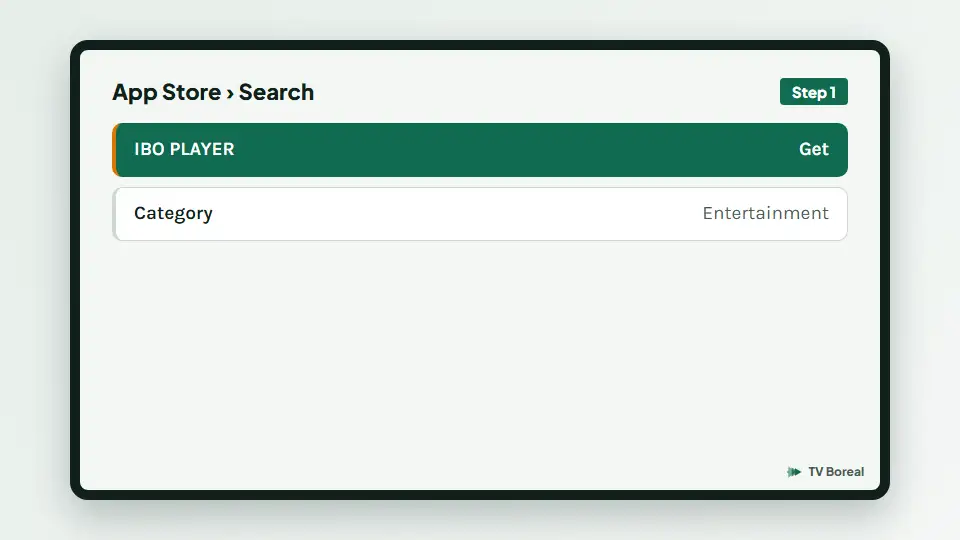
Install IBO Player
Type IBO PLAYER into App Store search on the box, then press Get on the listing we link. Want to double-check? Open our link on an iPhone and compare. Copycat apps exist, so this listing is the only one to install.
-
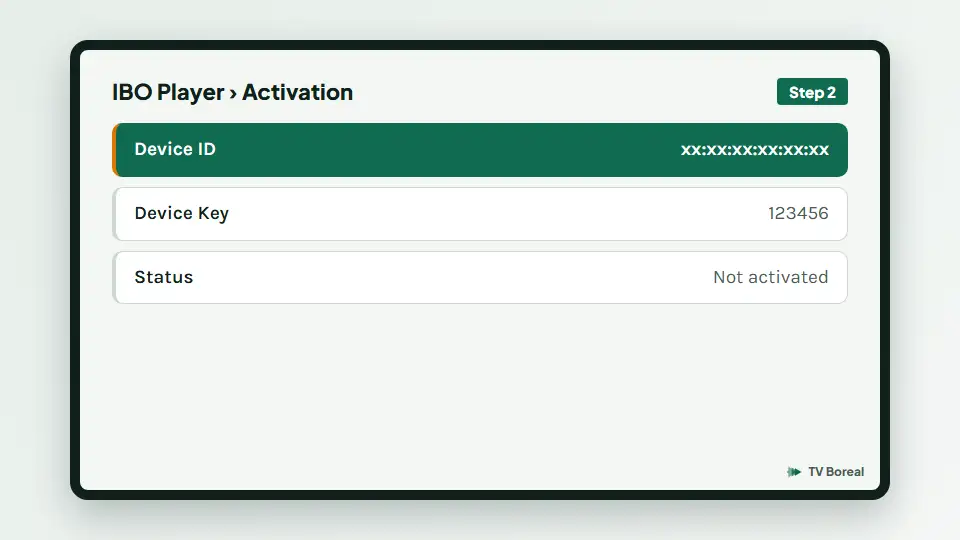
Note the Device ID and Key
Launch it. A Device ID and a Key fill the first screen, so point your phone at the TV and take a picture.
-
Send it to us on WhatsApp
Attach the photo and write IBO Player on tvOS. Your box gets linked to your plan, and a reply confirms it, normally within minutes.
Send it on WhatsApp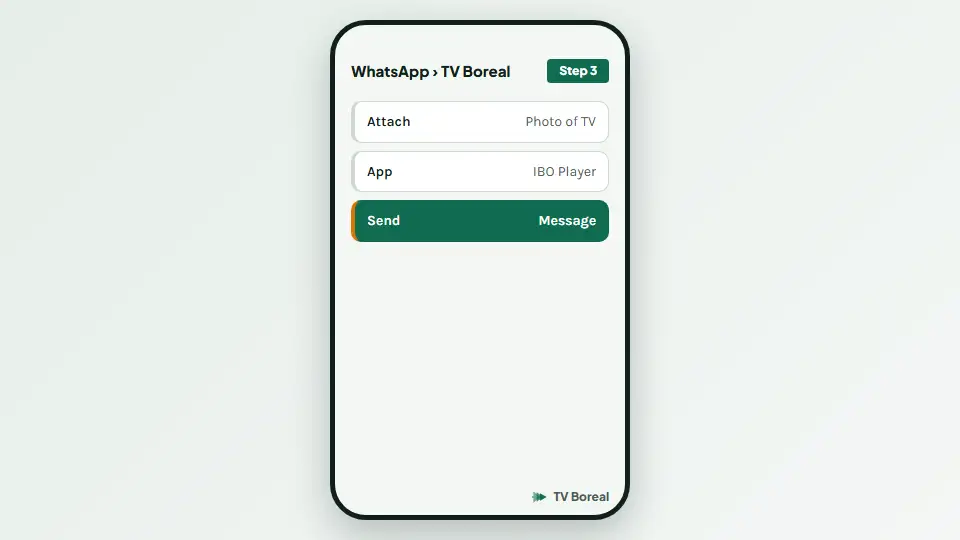
-
Reopen the app and watch
Swipe IBO Player away in the app switcher and launch it again. Channels show up. Empty? Wait a minute, then relaunch.


Paid app We activate it. 14 days cost nothing. Then the developer bills a single one-time fee per device.
-
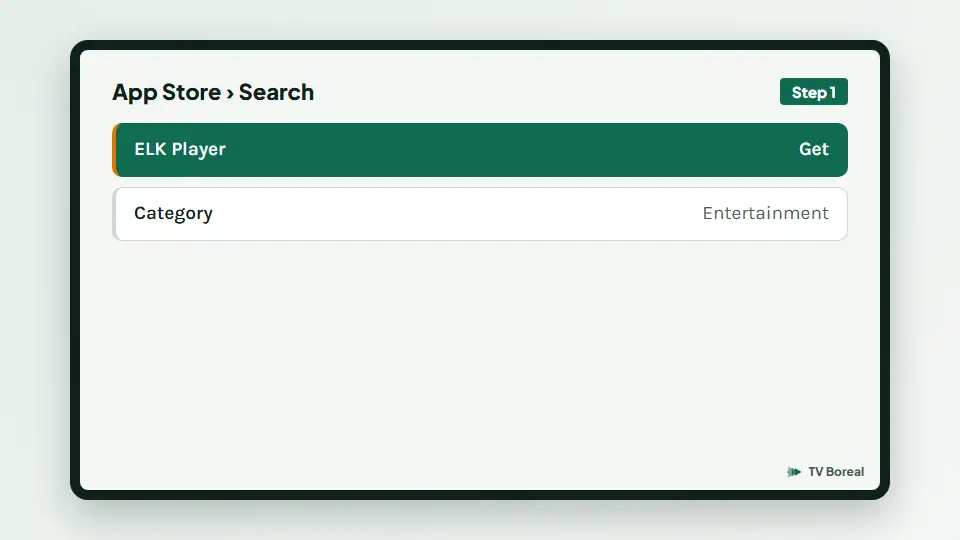
Install ELK Player
In the App Store on the box, look up ELK Player and press Get.
-
Note the Device ID and Key
Open the app. Its first page carries the Device ID and Key, so take a photo.

-
Send it to us on WhatsApp
Send the photo and name the app. We switch it on for your plan and say so in the chat.
Send it on WhatsApp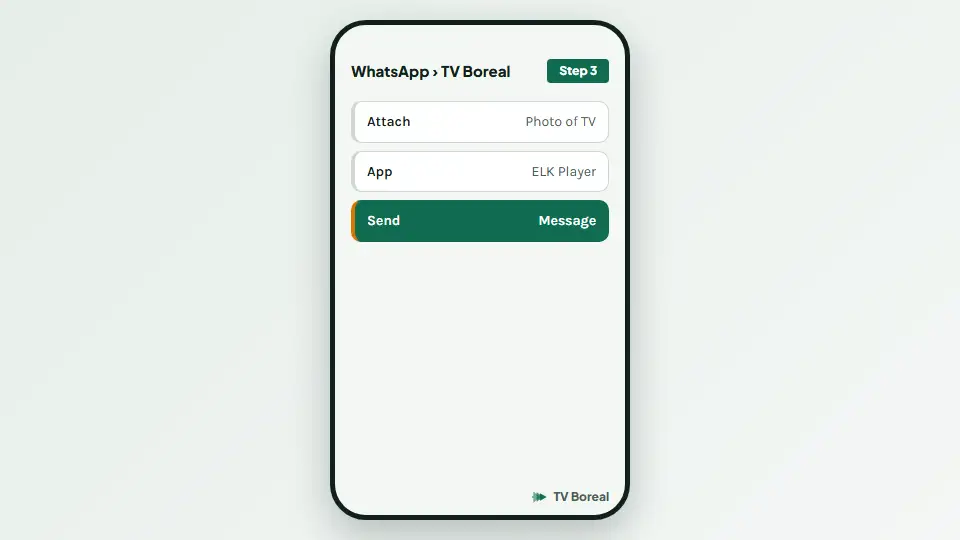
-
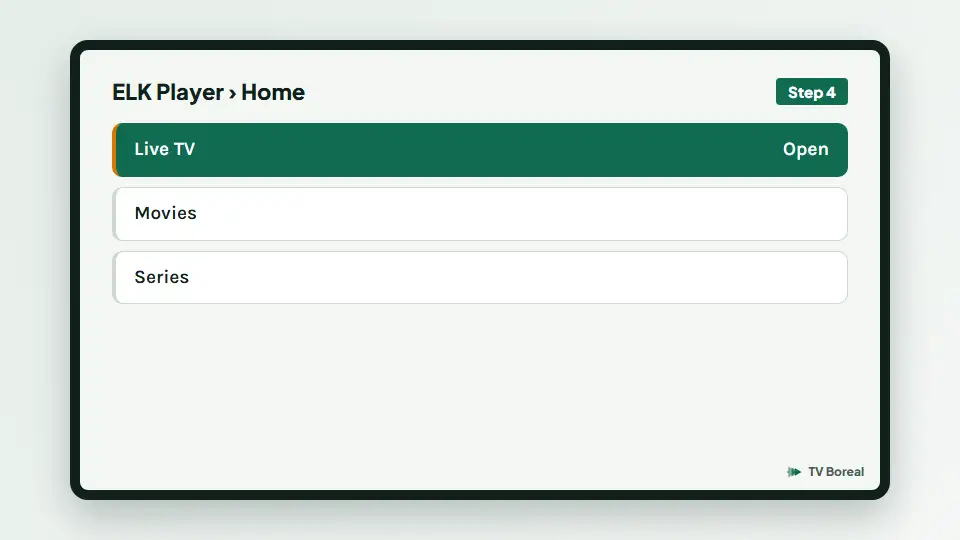
Reopen the app and watch
Close ELK Player in the app switcher, relaunch, and choose a channel.
Free app You type it in. Free. It is how IPTV Smarters appears in the App Store.
-
Install Smarters Player Lite
Search the App Store on the box for Smarters Player Lite and press Get. The link here opens the genuine listing.

-
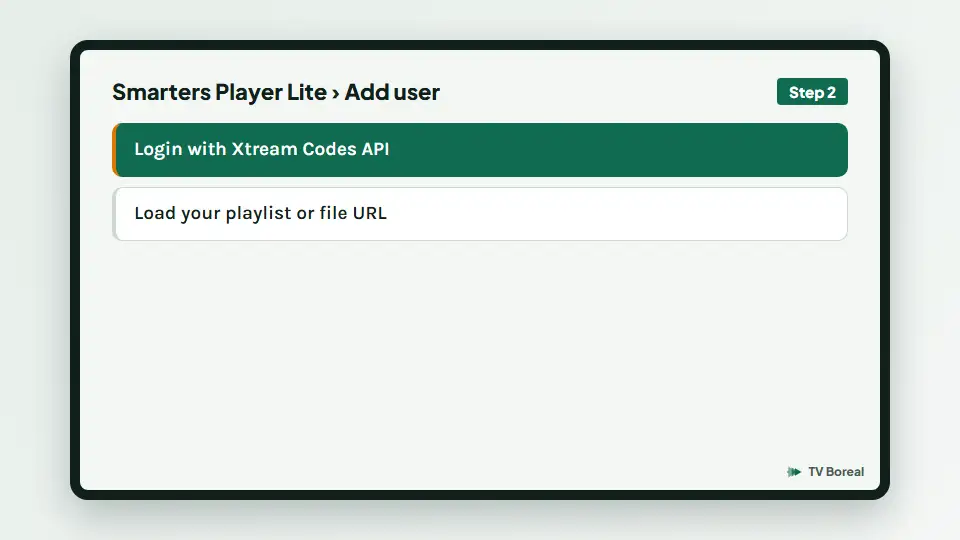
Choose Login with Xtream Codes API
Start the app, agree to the terms, then select Login with Xtream Codes API.
-
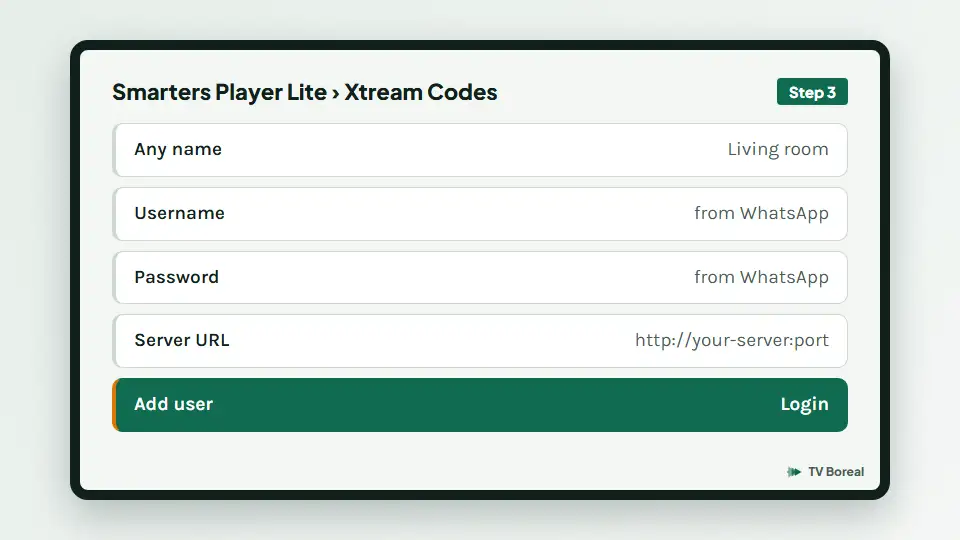
Enter your login and add the user
Pick any name, then fill in the username, password and server URL from our message. Your iPhone works as the keyboard. Press Add user.
Free app You type it in. Free to use. Its developer offers an optional Pro plan.
-
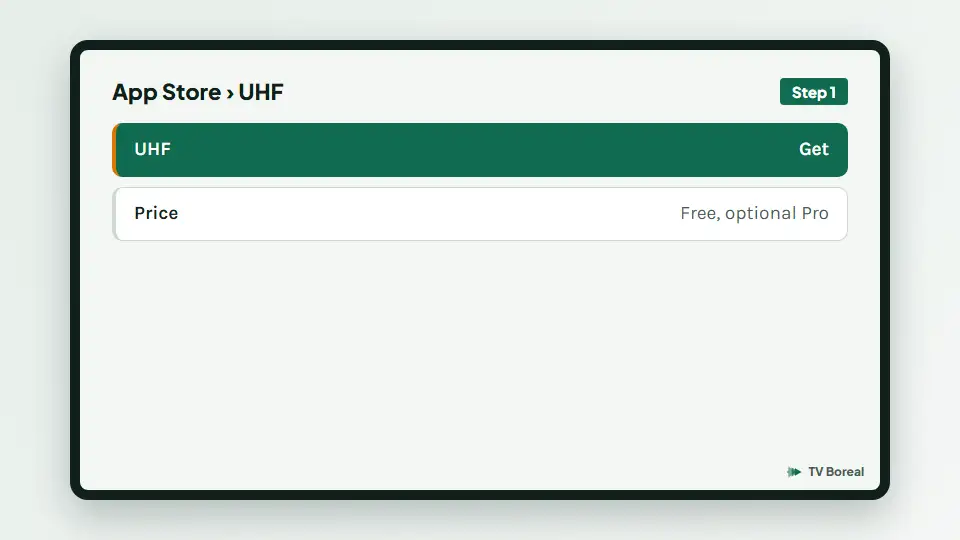
Install UHF
In the App Store on the box, search UHF and press Get. The link here shows the genuine listing.
-
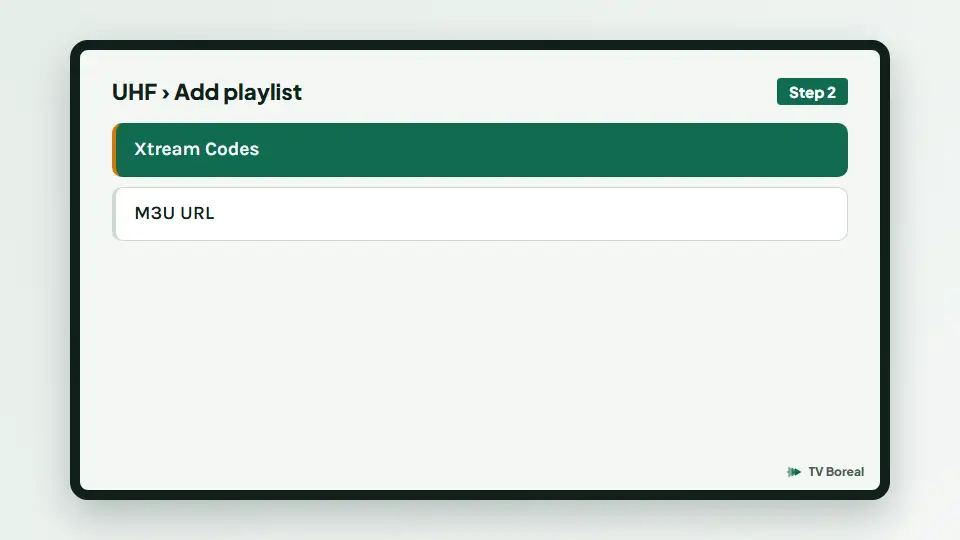
Add a playlist
Open UHF, choose Add playlist and pick Xtream Codes. M3U is there if you prefer the single link. It mirrors the iPhone version.
-
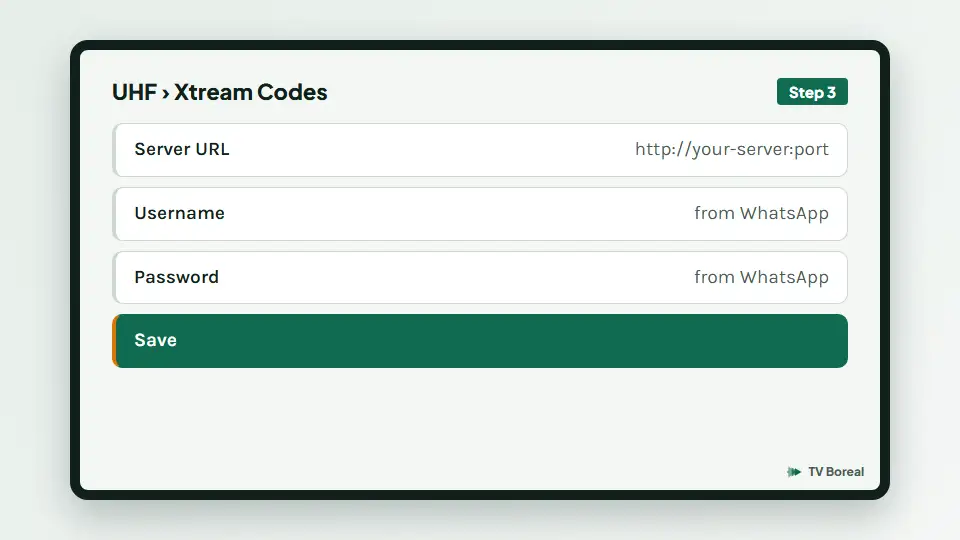
Enter your login and save
Type the server URL, username and password we sent, press Save, and let the channels and guide load.
An Apple TV makes a calm, quick home for your plan. Everything installs from the App Store on the box itself, and nothing needs sideloading. Four players are covered above. Below: how to choose, settings that sharpen the picture, and fixes for the usual snags.
Before you start
- The box on your TV, running current tvOS, with an Apple ID in the App Store.
- A cable, or Wi-Fi you trust, holding 25 Mbps or more for 4K. Our speed test checks your line.
- The WhatsApp message holding your M3U link and the login fields. No plan yet? See the IPTV subscription Canada plans, from $5.62 CAD a month.
- A few minutes, plus your iPhone if you want faster typing.
This happens once. Afterwards, you just open the player.
Which app should you pick?
Nobody enjoys spelling passwords on a Siri Remote. That is why IBO Player tops our list: activation happens on our side from its Device ID and Key. ELK Player shares that approach, only laid out differently.
Happy to enter the login a single time, iPhone in hand? Then Smarters Player Lite and UHF, both free, suit you. UHF tends to feel the most native on tvOS. Smarters Player Lite is the App Store name of IPTV Smarters, which our IPTV Smarters Pro page describes.
| App | Login | App cost |
|---|---|---|
| IBO Player | We activate it | 7 free days, then a per-device licence bought in the app |
| ELK Player | We activate it | 14 free days, then a single fee per device |
| Smarters Player Lite | You type it in | Free |
| UHF | You type it in | Free, optional Pro plan |
Apple TV settings for smooth playback
Two switches matter most. In Settings, choose Video and Audio and look for Match Content. Inside, enable Match Dynamic Range, then Match Frame Rate. Panning shots and fast sport stop juddering, because the box adapts to every stream.
Wire the box when it has a port. The 2022 Apple TV 4K sold as Wi-Fi only has none. Keep tvOS and your player current. Stutter creeping in? Reboot through Settings, then System, then Restart. A blurry channel can simply be a weak source, so flip to another before blaming the box. Our 4K IPTV post covers the rest of the chain.
Typing tip: any time the TV asks for text, an iPhone close by shows a keyboard alert. Tapping that alert lets you type, or paste, on the phone instead.
Troubleshooting
Typing the login takes ages. Lean on the iPhone keyboard alert, or open the Apple TV Remote from Control Center. Better still, copy the fields from our WhatsApp message and paste them: no typos, no rejected sign-in.
4K stutters. No port? Shift the router nearer. Port? Use a cable. Then test FHD for several days. Smooth on FHD? Your Wi-Fi is the bottleneck, and wiring the box or adding mesh Wi-Fi brings 4K back. More in IPTV buffering.
Empty list after activation. Activation applies from the next launch only. So press the TV button twice, flick the player out of the switcher, launch it afresh and allow a minute. Nothing still? Send us the Device ID on WhatsApp for a check.
Sound out of sync. Hop to another channel and back. Using a soundbar or AirPlay speakers? In Settings, under Video and Audio, Wireless Audio Sync calibrates the delay while your iPhone sits close to the TV. Certain players add their own audio delay control too.
Other screens in your home
The same plan works on more screens, up to your device count. For phones and tablets, follow the iPhone and iPad guide. A spare HDMI port can also take a Fire TV Stick: see IPTV on a Firestick. Our post on IPTV multiple TVs helps plan the whole house.
Questions about this setup
What is the simplest player for IPTV on Apple TV?
IBO Player wins here, since your remote types nothing at all. One photo of the Device ID and Key reaches us, and activation is done on our side. Prefer free? Smarters Player Lite and UHF want the login entered one time, which an iPhone keyboard makes painless.
Do I pay for these apps?
Two are free: Smarters Player Lite and UHF, whose Pro plan is optional. IBO Player gets 7 free days and ELK Player 14, after which each developer bills per device. None of that money reaches us, and your plan price is unaffected.
Does IPTV on Apple TV work in 4K?
Yes. Plans stream in 4K, FHD and HD, and the 4K model does them justice when the line keeps 25 Mbps or more. Then enable the Match Content options from the settings section, and every stream keeps its native frame rate and range.
Will one plan cover the box and my iPhone?
With a 2-device plan, yes: the living room box and the iPhone may stream together. Install a player on each and sign in. Using IBO Player or ELK Player on both? Then we need two photos, one Device ID and Key per screen.
Why can't I find an app in the App Store?
Type the precise name, keeping in mind that IPTV Smarters is listed as Smarters Player Lite. Store catalogues differ by country, so your Apple ID region matters. Plenty of iPhone apps skip tvOS altogether, though every player on this page has a tvOS build.
My channels vanished after a tvOS update. Now what?
First, install any player update waiting in the App Store. Next, reboot through Settings, then System, then Restart. Fixes often follow a tvOS release within days. Should IBO Player or ELK Player display a new Device ID, WhatsApp it over and your activation moves across.
More setup guides
IPTV on iPhone and iPad, step by step
Live TV, movies and series fit nicely on an iPhone or iPad, whether you sit on the couch, in the kitchen or at the cottage.
IPTV on a Firestick: set it up step by step
IPTV on a Firestick, from an empty home screen to a playing channel.
IPTV on Samsung and LG smart TVs, step by step
Built for Samsung sets on Tizen and LG sets on webOS.