IPTV on Formuler boxes, step by step
Formuler boxes are built for live TV, shipped with a channel-friendly remote, with a player already parked on the home screen. That makes them one of the gentlest setups on this site. Below you will find three routes, in the order we suggest them.
Short answer
Start with MyTVOnline 3, already on the box: create a portal set to Xtream Codes API, then key in our login. Prefer not to type? We can also register the box from its MAC address. Either way, plan on about 5 minutes on a Z or S series model.
- Device
- Formuler Z and S series
- Time needed
- About 5 minutes
- Difficulty
- Easy
- Apps covered
- MyTVOnline 3, TiviMate, MAC portal
- What you need
- Your login from WhatsApp
Your app, step by step
We suggest MyTVOnline 3. Switch tabs to see the other apps, one full walkthrough per tab.
Free app You type it in. Comes preinstalled on Formuler boxes. Nothing to download or buy.
-
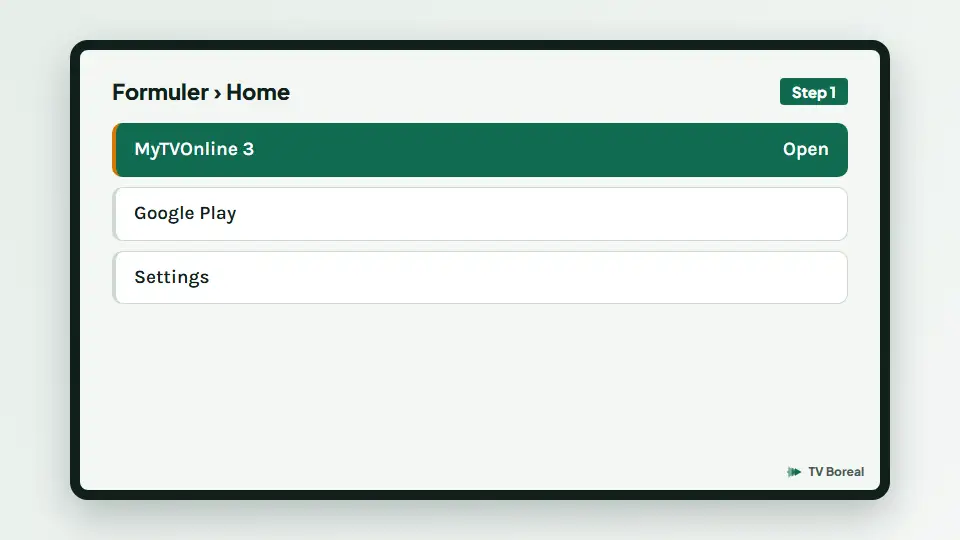
Launch MyTVOnline 3
Pick MyTVOnline 3 on the Formuler home screen. A brand-new box shows an empty portal list here, and that is expected at this point.
-
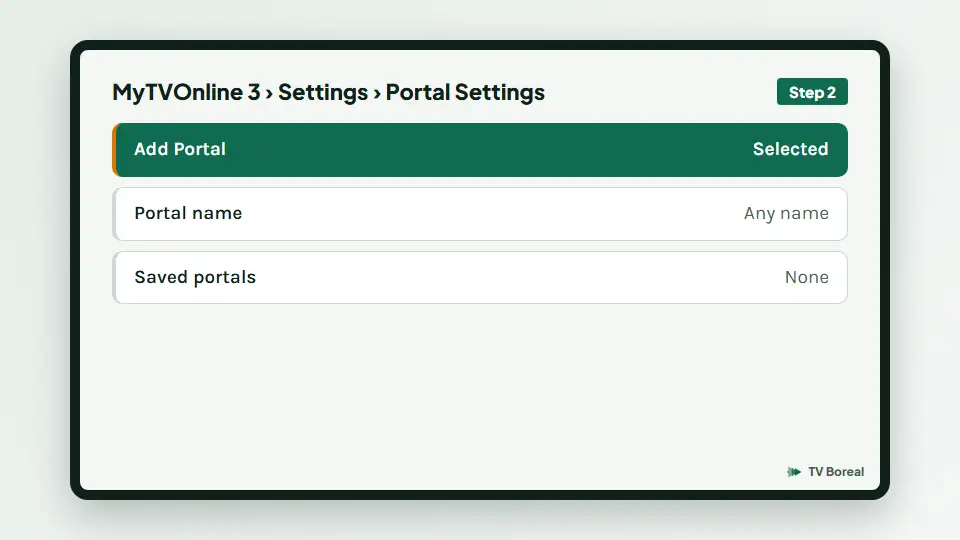
Create a new portal
In Settings, open Portal Settings and choose Add Portal. Name it anything you will recognize later, the name of your plan for example.
-
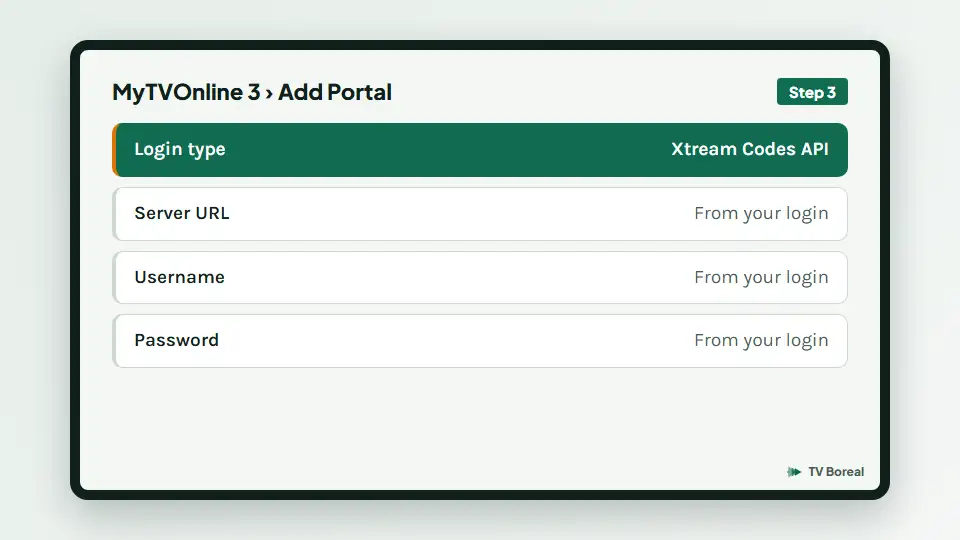
Set the type to Xtream Codes API
Login type: Xtream Codes API. Next, fill in server URL, username and password letter for letter from our WhatsApp text, no stray spaces.
-
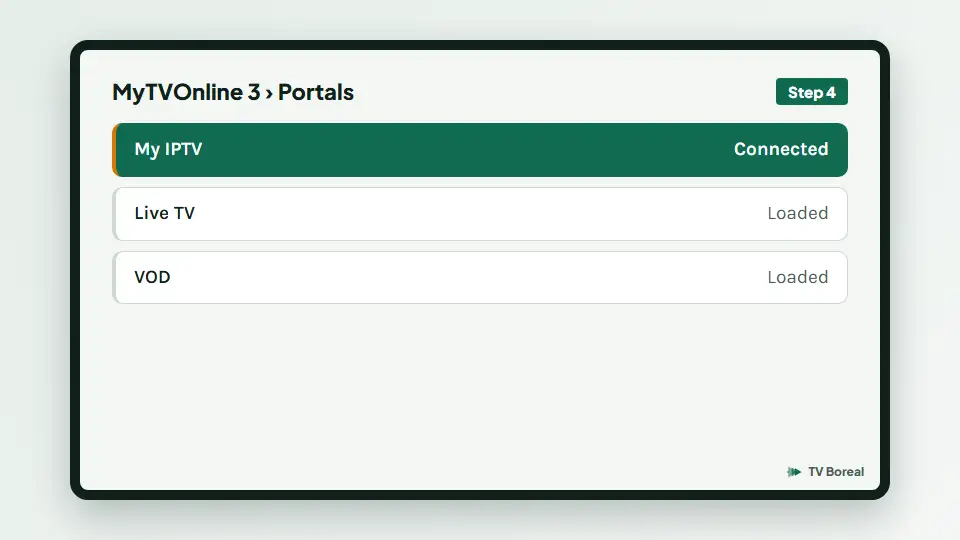
Store the portal and connect
Save, then select the new portal. Channel groups, movies and series load first. The guide catches up over the following minute or two.
Free app You type it in. The app is free. Premium is an optional extra paid to the app maker.
-
Get TiviMate through Google Play
Because Formuler runs Android, Google Play is on the box: search TiviMate and install it. Store missing it on your model? Then Downloader with the verified code on this step does the job.
Code: 272483

-
Enter the login as Xtream Codes
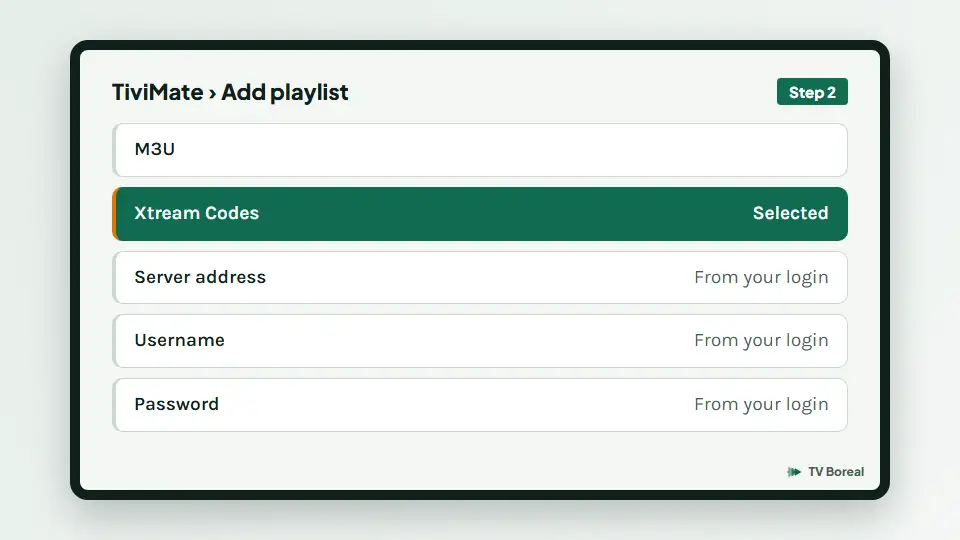
Open the app, choose Add playlist, then Xtream Codes. Fill in server URL, username and password from our message, select Next and give it a name.
-
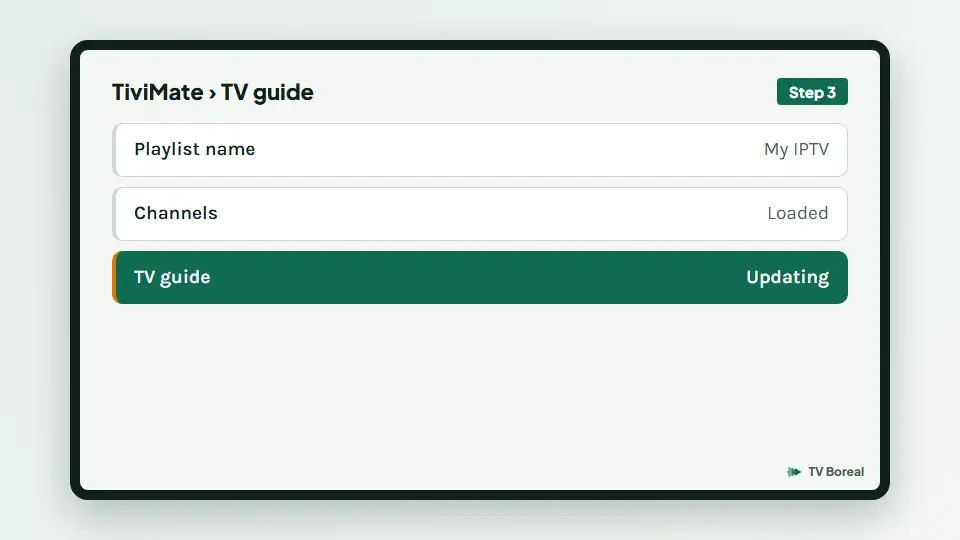
Give the guide a minute, then watch
Select Done. Channels and the guide need about a minute to fill in, then pick one. The free version plays everything, and Premium stays optional.
Free app We activate it. Works from the MAC address of your box. No extra app needed.
-
Look up the MAC address
Open Settings, then About, and find the MAC address. A sticker under the box shows it too. Snap a photo so every character stays legible.

-
WhatsApp the MAC to us
Send the address and say the box is a Formuler. We register it against your plan and answer with the portal details, normally a few minutes later.
Send it on WhatsApp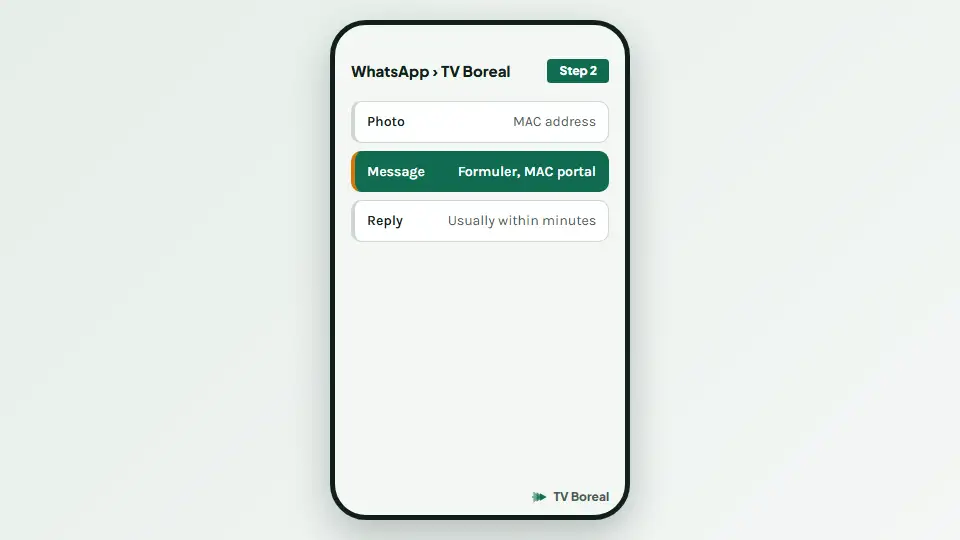
-
Add the portal from our reply
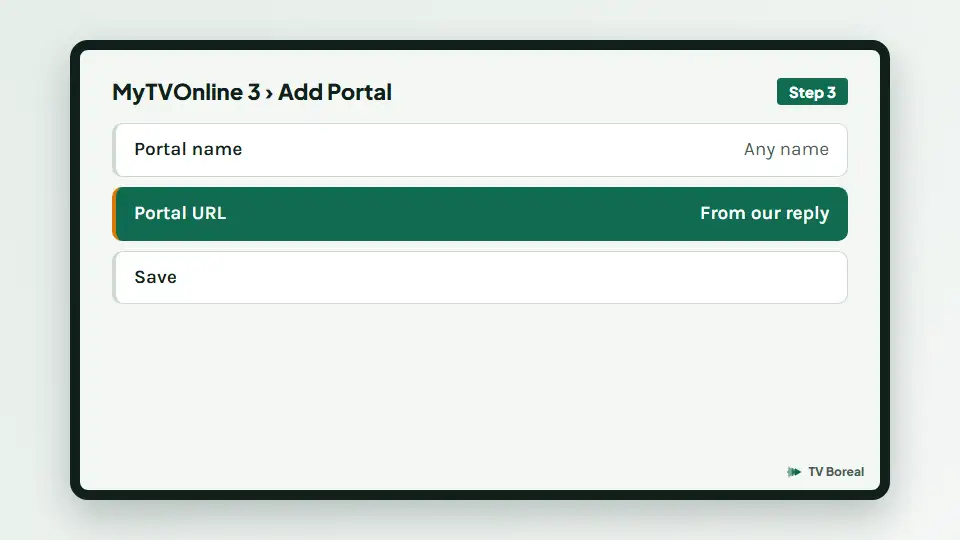
Back in MyTVOnline 3, open Settings, Portal Settings and Add Portal, then type in the portal URL we sent. Save, connect, and the channels appear.

Before you start
Gather four things and the setup runs from start to finish without stopping.
- The Formuler box joined to your TV and network, ideally by Ethernet cable.
- A dependable line, with 25 Mbps or better for 4K. IPTV on Wi-Fi or Ethernet explains why the cable usually wins.
- The WhatsApp message holding your login, which also includes an M3U link. No plan yet? Every option on our plans and prices page works in MyTVOnline 3, from $79.99 CAD for a year on one device.
- Roughly 10 minutes, remote in hand.
This is a one-off job. Next time, you open the app and the channels are waiting. Other screens in the house have their own pages in the setup guides hub.
Choosing your Formuler route
MyTVOnline 3 is the easiest choice: nothing to download, it is on the box already, and an Xtream Codes login is all it asks for. People who already know TiviMate can add it from Google Play for its guide layout and its optional paid extras. The MAC portal fits anyone who likes the classic portal style and wants to skip typing any login.
| Route | Download needed | How the login gets in |
|---|---|---|
| MyTVOnline 3 | No, preinstalled | You type the Xtream Codes login |
| TiviMate | Yes, from Google Play | You type the Xtream Codes login |
| MAC portal | No | We register the MAC, you enter our portal URL |
One plan feeds all three, so trying each one costs nothing. Thinking about other hardware first? Our IPTV box page compares box types, and the best IPTV for Android TV box post weighs up the players.
Formuler on the Z and S series
Formuler designed these boxes around live TV, with MyTVOnline 3 on board and a remote made for flicking through channels. Android sits underneath, so Google Play apps work on them too. Z series or S series, the steps below are identical. Firmware versions sometimes rename a menu item. Label looks different? Choose its closest match inside that menu. Say yes to firmware updates as they come.
Fixing common Formuler problems
Most Formuler snags trace back to a typo, a missing app or the network. Find yours below.
MyTVOnline reports a failed login
Check server URL, username and password against our WhatsApp text letter by letter, removing any space left at the end. Confirm the login type says Xtream Codes API, not MAC portal. Most often, one letter of the server address is off.
The portal opens empty
Select the portal again and give the categories a minute. Still nothing? Restart the box and reconnect. If it stays empty, WhatsApp us; we review the plan and activation on our side, usually within the hour.
A player is missing from Google Play
Update the box software and search again. Still not listed? Install Downloader and type 272483, which fetches TiviMate straight from the developer's files.tivimate.com. Either install route gives you the identical app.
Careful: Install that player only through Google Play or the verified code 272483. Copies from forums or video comments may be tampered with, and cracked versions of paid players can carry malware.
The picture buffers
Ethernet first: these boxes handle 4K comfortably on a steady line. No cable? Switch the box to 5 GHz Wi-Fi and give it space away from the TV's back panel. Dropping to FHD or HD helps when the connection is busy, and the IPTV buffering post lists more fixes.
Channels sit in an odd order
Use the app's sort, favourites and group tools to rearrange them. Every player stores its own sorting, so redo it after switching from MyTVOnline 3 to another app. Hiding groups you never open shortens the list a lot.
Guide times do not match
Start with the box's time zone setting. After that, the player's guide offset moves in one-hour steps: adjust until shows line up. Our what is EPG post explains how guide data reaches the player.
Also running a MAG box elsewhere in the home? The MAG portal guide covers that one.
Questions about this setup
What exactly is MyTVOnline 3?
The player Formuler puts on every box. Feed it a portal holding your Xtream Codes login, and channels, categories, movies, series and the guide all load inside it. Nothing to download makes it the fastest route on these boxes. Other players can live alongside it, and hopping between them is fine.
Can I run a different player on a Formuler?
Yes. Formuler boxes run Android, so Google Play installs other players. For TiviMate, Downloader code 272483 covers stores that lack it. Once the Xtream Codes login is in, channels and the guide appear. Its free tier plays it all, and the optional Premium comes from the developer alone.
Which route should a beginner take?
MyTVOnline 3. It is already on the box and needs one form filled in. Other players add a different guide layout and paid extras, recording and multi-view among them. All of them read the same login, and favourites are saved per app, so set them in your everyday player.
How do I find the MAC address on a Formuler?
Settings, then About, shows the MAC address. The sticker under the box carries a copy. For the MAC portal route, WhatsApp it over. Photos beat typing for accuracy, and our answer with the portal details normally arrives within minutes.
Will my login work on a second Formuler?
Yes, within the screen count of your plan. One device on the plan means one screen playing; 2-device and 3-device plans stretch further. With the extra box, enter the same login in MyTVOnline 3 or another player. Nothing else changes. The options sit side by side on our pricing page.
More setup guides
IPTV on a MAG box: portal setup
MAG boxes were made for one job: live TV through a portal.
IPTV on Android TV: setup with Downloader codes
Setup steps for Android TV sets, NVIDIA SHIELD and Android boxes.
IPTV on a Firestick: set it up step by step
IPTV on a Firestick, from an empty home screen to a playing channel.